What Happens When You Order Custom Mural Wallpaper?
Follow the path from choosing artwork and entering dimensions to material selection, production, dispatch and installation planning.
Article focus: pricing and measurement
The cost and measurement decision
Start with accurate wall measurements; the final custom mural price depends on area, material and any finishing options.
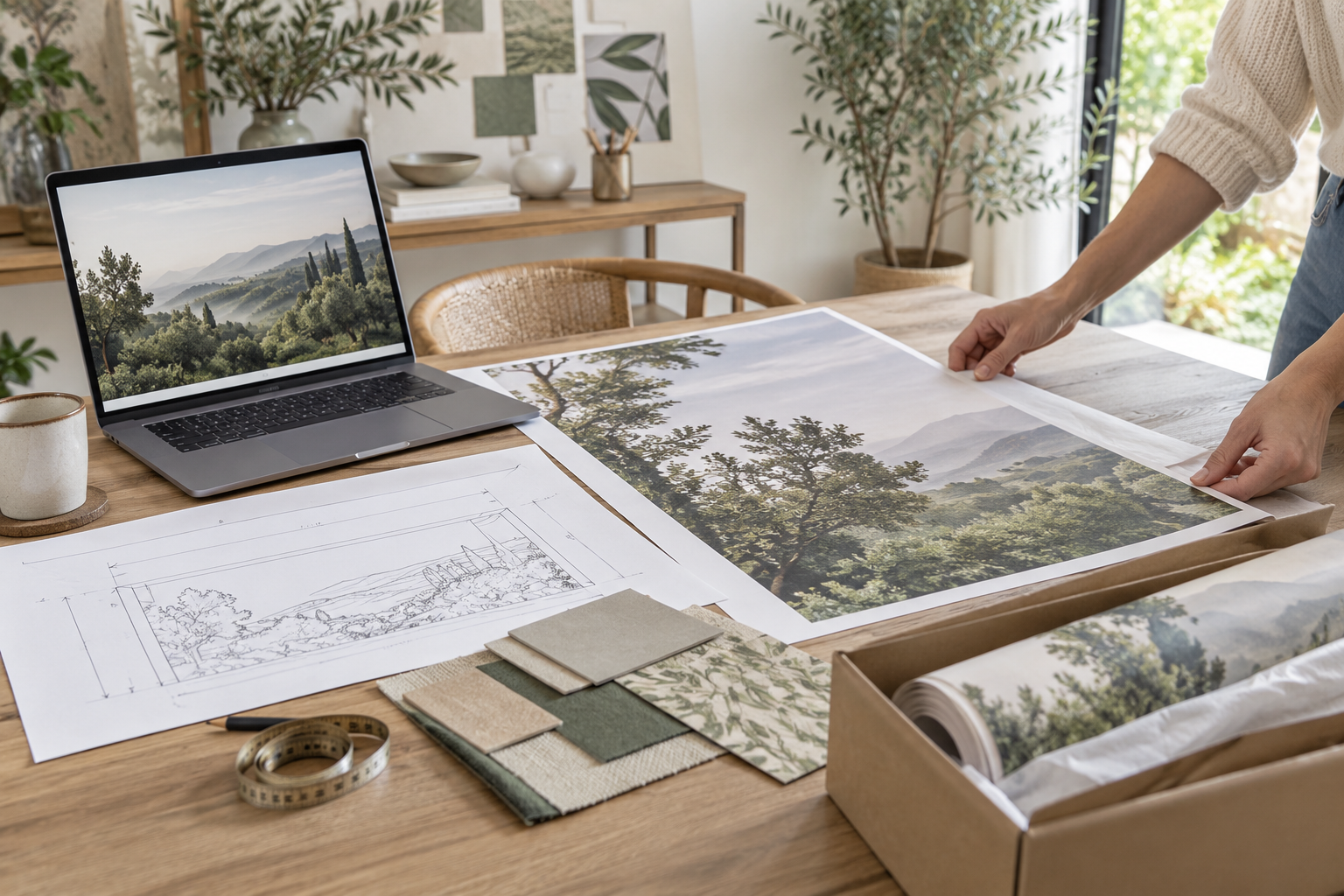
Example application: Any room with a suitable, prepared wall · pricing and measurement
“Custom mural wallpaper” can mean two different orders: resizing and cropping an image you already own, or commissioning someone to create new artwork from a brief. The steps, approval points and possible costs are not interchangeable. On Solowalls, the upload-your-image route lets you configure an existing image for your wall; the separate design-brief route is for an original concept. Knowing which path you are on makes the rest of the order easier to understand.
First choose the correct custom route
If you have a photograph, illustration or licensed artwork ready to print, start with the upload-your-image tool. It is designed to fit that image to a wall. If you only have an idea—perhaps a woodland scene in certain colours—the image-upload tool cannot create that artwork for you. The design-brief route asks for references, room details and a preferred direction so a designer can prepare a concept. Keep this distinction in mind when reading about proofs, revisions and timing.
There is a third situation between those two: you have an image, but it needs substantial redrawing, added scenery or colour changes before it will work as a wall-sized mural. Cropping and zooming in an upload editor do not perform that design work. Explain the desired changes to the design team first and ask which route applies. Starting the wrong flow can leave you expecting an artwork revision when you have actually ordered a print of the file you supplied.
The Solowalls upload page currently accepts JPG, PNG and WebP files up to 100 MB. That size limit is an upload rule, not proof that every accepted image has enough detail for a large print. Use the largest original file you possess rather than a screenshot, a social-media download or an image enlarged by software without genuine detail. Confirm that you own the artwork or hold the necessary permission to reproduce it as wallpaper.
Decide what information each route needs from you
Both routes need a reliable wall size and an account of what will interrupt the finished picture. The direct-upload route asks you to turn those facts into a configured print: the size entered, the image selected and the crop you choose are part of the order you submit. The design-brief route uses the same wall facts as constraints for someone creating artwork; it also needs a clear visual direction and an agreed review process. Do not mistake a room photograph or inspiration board for confirmed print dimensions on either route.
For direct upload, keep the measured wall size separate from the size entered after the site's stated trim allowance, and retain a copy of the displayed crop. For commissioned artwork, send the designer a labelled wall drawing with permanent furniture and openings, then ask how those features will be reflected in the concept and final proof. A sloping ceiling or return wall may need a specific layout discussion before either route can become a simple rectangular print. The separate pre-order checklist covers the measurement and material checks in detail; the important distinction here is who resolves the design problem before production.
Write down any change that falls outside the route you chose. Shifting an uploaded image within the crop tool is different from asking someone to draw more landscape at its edge. Revising an original concept is different from correcting a mistyped wall height. If the wall, image or creative brief changes substantially, ask which configuration or quote must be updated rather than assuming the current screen and price still describe the final mural.
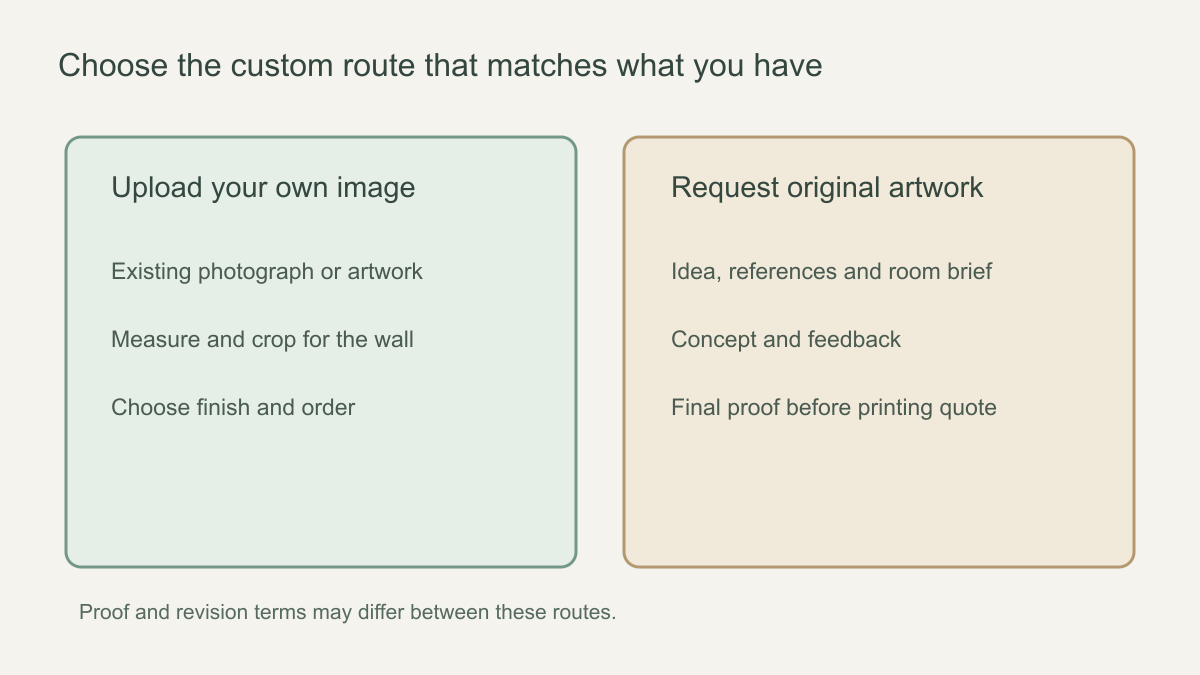 Choose between fitting your own artwork and commissioning a new concept before you start.
Upload, position and inspect the picture
Once the file is accepted, the tool shows how it relates to the wall's aspect ratio. A panoramic image on a narrow wall may lose much of its left and right edges; a tall portrait on a wide wall may need substantial cropping or empty space. Move and scale the artwork within the available controls to place the important subject where it will remain visible. Solowalls describes this as adjusting zoom and position before reviewing the crop.
Study all four edges, not only the centre. Make sure a person, animal or building is not accidentally cut in half and that a horizon does not sit at an awkward height. Think about the bed headboard, door, radiator or shelving that will cover part of the mural. A preview of the image within a rectangle is a planning aid; the actual room introduces obstructions and lighting that may not appear in it. Save or note the final crop selection so you can compare it with the order confirmation.
Image quality deserves a separate check. A file can pass the upload size limit yet lack resolution for a large wall, particularly if it was compressed or heavily cropped. If the interface flags quality, do not ignore it. Ask whether a larger original exists and consider a different composition or wall size if it does not. The Solowalls custom-wallpaper page separates original-file upload, dimensions and crop review; none of those steps should be left for the installer to solve after printing.
A file warning calls for a decision, not simply another click. Check whether the warning concerns format, file size, pixel detail or how much of the image remains after cropping. Converting a low-detail screenshot to PNG may make a larger file without creating sharper detail. If the important subject will be cropped away, a higher-resolution copy of the same composition may still not solve the framing problem. Ask for help before payment when the preview cannot meet the intended wall.
Select the finish and review the actual price
The material choice affects appearance, handling and the final configured price. Solowalls currently presents four wallpaper finishes in its custom flow. Read the current product description and application instructions for the one you select, and consider a physical sample if colour or surface texture is critical. Do not assume a rendered preview can show the exact colour, sheen or hand-feel of a printed finish.
After entering dimensions and selecting material, review the displayed estimated total. A starting rate shown earlier on the page may not reflect the size or finish you chose. Check currency, shipping destination, taxes and any charges that appear at checkout. If the wall needs repair or professional installation, those are separate project costs unless expressly included. Review the final order summary before paying rather than treating an earlier design screen as the final contract.
Read the material name back from the actual order summary. A sample or room visualisation does not change the selected option automatically. For a direct-upload order, the acceptance point is the configured image, wall size, crop and finish submitted for purchase. For a commissioned design, the acceptance point includes the agreed final artwork and production quote after the design stage. Keeping those checkpoints distinct prevents an attractive first concept from being mistaken for a ready-to-print order.
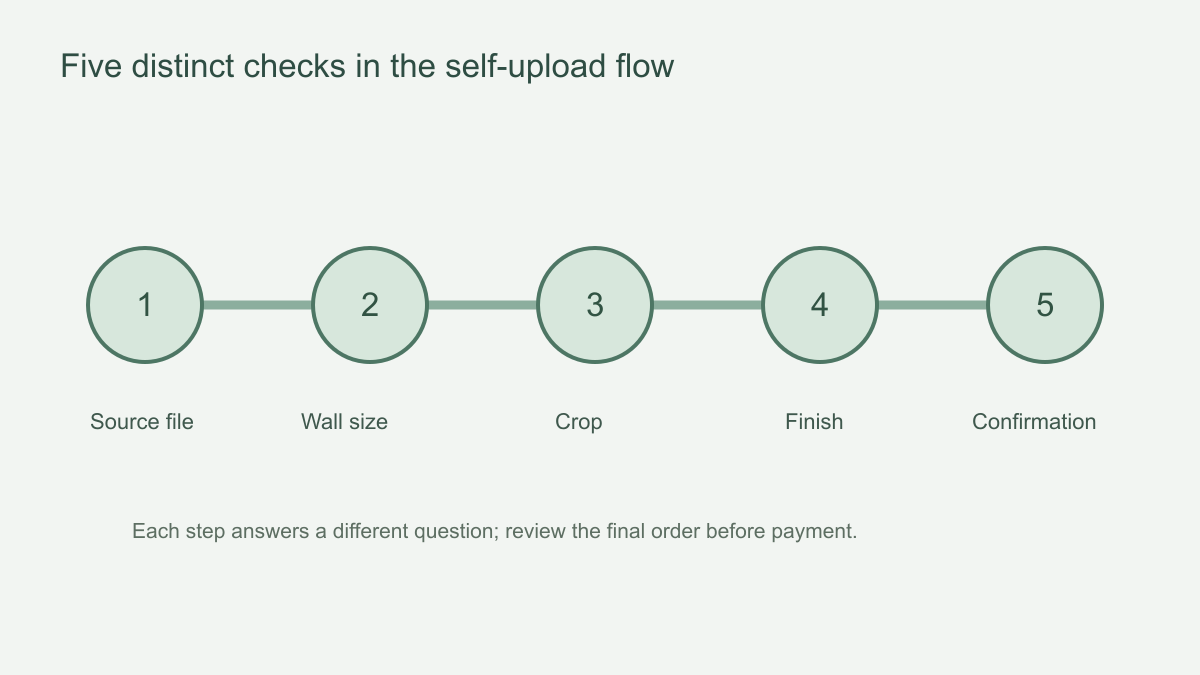 Each checkpoint answers a different question about the mural you are buying.
What happens after you submit the order?
For a direct-upload purchase, compare the confirmation with the submitted image version, size, units, crop, finish and address. The crop accepted at checkout is the relevant design decision unless the seller explicitly offers a later review. Do not assume a new proof or unlimited revisions will follow payment. If the confirmation differs, contact customer service promptly with the order number and the exact correction, then ask for written confirmation of whether a change was accepted and whether production, price or timing has changed.
For a commissioned design, approval occurs in stages: the brief establishes the requested artwork, the concept and feedback refine it, and the agreed final proof becomes the reference for the production quote. A favourable response to an early mock-up is not the same as approval of the final file at the chosen wall size. Keep the version trail and identify the precise file being printed. If you request a new subject or significant redraw after the agreed proof, ask about scope and cost before assuming it belongs to the same revision.
After either route reaches its production decision, delivery and panel inspection are separate milestones. Save the accepted configuration or final proof so it can be compared with the printed panels on arrival, before anything is cut or attached. A shipping notice means the parcel is moving, not that the artwork and every panel have been checked by you. If the contents differ from the approved order or arrive damaged, document the discrepancy and contact the seller under the current policy. Keep installation scheduling provisional until the print and wall are both ready.
If you need original artwork instead
The separate Solowalls design-brief page describes a sequence of brief, concept, feedback and final approval. It currently says one consolidated revision round is included after the first concept. Printing is quoted once the artwork, wall dimensions and material are confirmed. Ask for the written proposal's design fee, the scope of that revision and any charges for further changes before proceeding. None of those design-service steps should be assumed for a direct upload.
A useful brief includes the wall measurements, a clear room photograph, examples of styles you like, colours to use or avoid, and practical obstacles such as windows. Explain the desired visual focus rather than only listing keywords. The proof stage is the moment to check composition, proportions and agreed elements. Keep approval explicit and retain the final version, because it becomes the reference for production.
When you receive the first concept, give one consolidated response tied to the original brief: what to keep, what to move and what to remove. A comment such as “make it softer” is less actionable than identifying a colour that should be muted or a tree that should shift away from a window. After the revision, review the final proof against the wall dimensions and written quote. Approval should refer to that final version, not the first room mock-up or an earlier email attachment.
For commissioned artwork, keep a short version trail: the brief, the first concept, your consolidated feedback, the revised proof and the final approved file. Put the agreed wall dimensions and material beside that final file, so the production quote refers to the same version. A room mock-up can show scale, but it is not a substitute for checking the artwork itself. If the final proof still places a requested subject behind a window or omits an agreed element, raise that before approval rather than hoping the print stage will correct the design.