What Image Resolution Is Needed for Mural Wallpaper?
Use wall dimensions, viewing distance, source quality and crop requirements to judge whether an image is suitable for enlargement.
Article focus: pricing and measurement
The cost and measurement decision
Start with accurate wall measurements; the final custom mural price depends on area, material and any finishing options.
Example application: Hallway or entryway · pricing and measurement
What image resolution is needed for mural wallpaper? Enough real pixels must remain after cropping to hold the detail that matters at the wall's printed size and normal viewing distance. That answer is specific to the picture: a soft painted landscape and a photograph of fine lettering do not tolerate enlargement in the same way. Start with the original file's pixel dimensions, map the final crop to the measured wall, and calculate effective resolution in both directions. Then inspect critical details at print scale with the supplier rather than relying on a file labelled “300 dpi”.
Start with the physical wall, not the upload size
Measure the width and height of the wall and include the installation allowance requested for the order. Note which parts will be hidden by a bed, sofa, door or cabinet, but do not subtract them from the physical dimensions if the printed sheet will cover those areas. The printer needs a complete production size. A 2.4-metre-wide feature wall and a 5-metre-wide reception wall place very different demands on the same photograph. A cropped panorama may also lose much of its original height or width before a panel is printed.
Record the wall in one unit and convert it carefully. One metre is about 39.37 inches. Effective ppi is the number of source pixels in the direction being assessed divided by the printed inches in that direction. Calculate width and height separately after the crop. The lower figure often tells the more useful story, because the image must fill both dimensions. If part of the source image is discarded, its pixels cannot contribute to the final mural.
Do not confuse a screen preview with the production file. A website may display a reduced copy so the crop tool responds quickly, while the printer receives a separate original; confirm which file is actually used. Conversely, saving a small screenshot as a large PNG does not restore the source photograph. Record pixel width, pixel height and final print dimensions alongside the chosen crop so everybody is discussing the same version of the artwork.
A worked example, not a universal pass mark
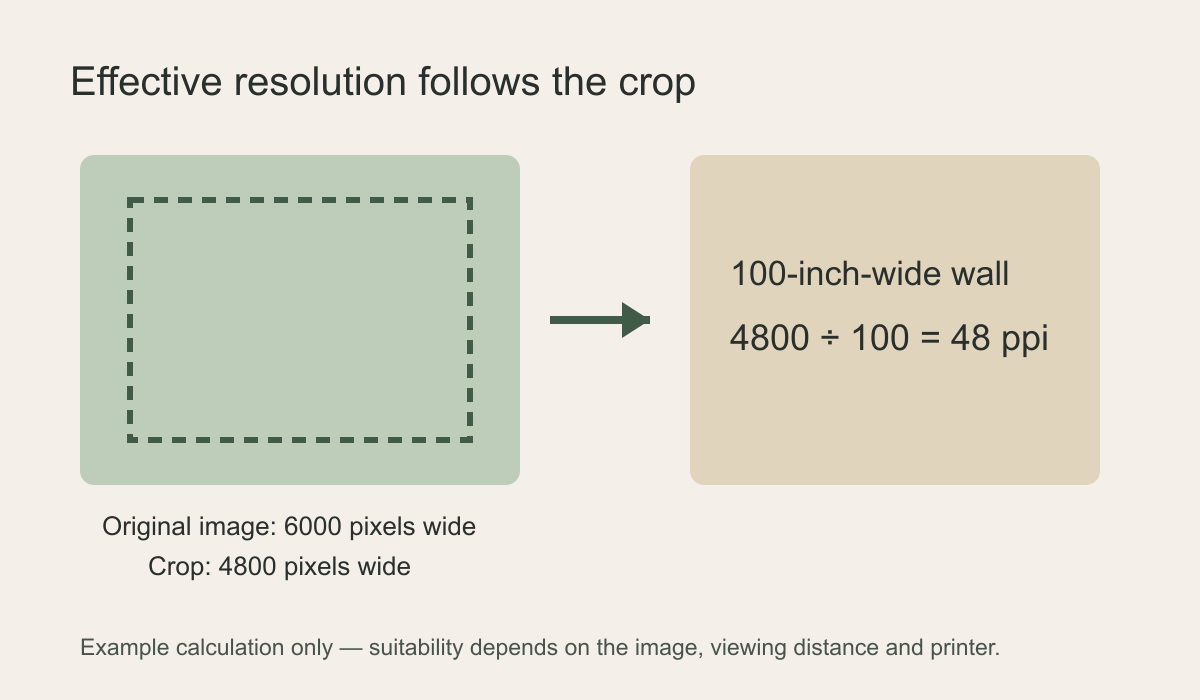
Suppose an original photograph measures 6,000 by 4,000 pixels and the printed area is 100 by 75 inches. Keeping the entire 6,000-pixel width would give 60 ppi across, but the photograph's 3:2 proportions do not match the wall's 4:3 proportions. For a particular composition, imagine selecting a 4,800-by-3,600-pixel rectangle from that source. The result is 4,800 ÷ 100 = 48 ppi across and 3,600 ÷ 75 = 48 ppi vertically. A different crop might retain more pixels. This is a calculation example, not a recommended target or a pass mark.
Those numbers describe enlargement, not whether the result looks good. A painterly mist scene can be more forgiving than tiny lettering, crisp linework or a detailed face. A corridor first viewed from several metres away is also different from a bedside wall examined at arm's length. If the key subject is small within the original, check its own apparent size after enlargement; an overall ppi figure cannot reveal that a bird's eye or architectural sign is already soft.
Adobe's explanation of printed image resolution distinguishes image dimensions from the ppi assigned at print size. Its print-resolution guidance also notes that large-format images intended to be seen from a distance can work at lower resolutions than small close-view prints. That is a reason to assess the actual mural, not a reason to declare any low-resolution upload safe.
Why the dpi label can mislead
Many files carry a metadata setting such as 72 dpi or 300 dpi. On its own, that field does not tell you whether the picture contains enough information for a wall. A 6,000-pixel-wide photograph stays 6,000 pixels wide if only the resolution metadata is changed. Software may interpret the physical print dimensions differently, but it has not created finer branches, facial detail or texture. Resampling can generate additional pixels, and some tools can make an enlargement look smoother, yet they cannot reliably recover information that was never captured.
Here “ppi” describes pixels in the image at a given physical print size; a printer's “dpi” can also describe how its device deposits ink. The terms are often blurred in conversations about files, which is why the original pixel count and desired inches are the clearest starting facts. If a supplier gives you a minimum file requirement, ask whether it refers to the entire image, the cropped image or a particular viewing distance.
Use the actual pixel dimensions reported by the file, not the preview thumbnail or its megabytes alone. Save the crop coordinates or a copy of the cropped image so the calculation can be repeated after a layout change. If a face moves towards the edge, recheck its sharpness as well as the retained pixel dimensions. AI upscaling can invent or distort fine edges instead of recovering camera detail. Where the decision is close, ask whether the supplier can provide a print-scale sample of the most demanding part of the crop.
Check the photograph before doing the arithmetic
Open the original at 100% magnification and inspect the most important features: a person's eyes, delicate leaves, architectural edges or lettering. Are they sharp in the source? Is motion blur already visible? Do large colour areas show blocky compression, ringing around contrast edges or strong noise reduction? If the answer is yes, more pixels on paper will not remove the problem. View a second area near the edge of the frame; a camera may render the centre more sharply than the corners, and the mural crop may put a soft corner at eye level.
Then test the intended crop. A portrait image can be forced across a wide wall only by losing much of its top and bottom or by adding new artwork at the sides. Neither outcome follows automatically from a high megapixel count. Lay a rectangle with the same aspect ratio as the measured wall over the photograph. Move it until the important subject and horizon work with furniture and openings. Recalculate effective ppi from that remaining rectangle, rather than from the full uncropped file.
Check the opposite problem as well: a wide panorama may require a severe cut at the sides to fill a tall stair wall. An image with the “right” number of megapixels can still be the wrong shape. Do not enlarge by stretching it independently in width and height; people, trees and buildings will be distorted. If keeping the subject means adding invented scenery beyond the captured frame, agree explicitly what is being added and review that area at full size.
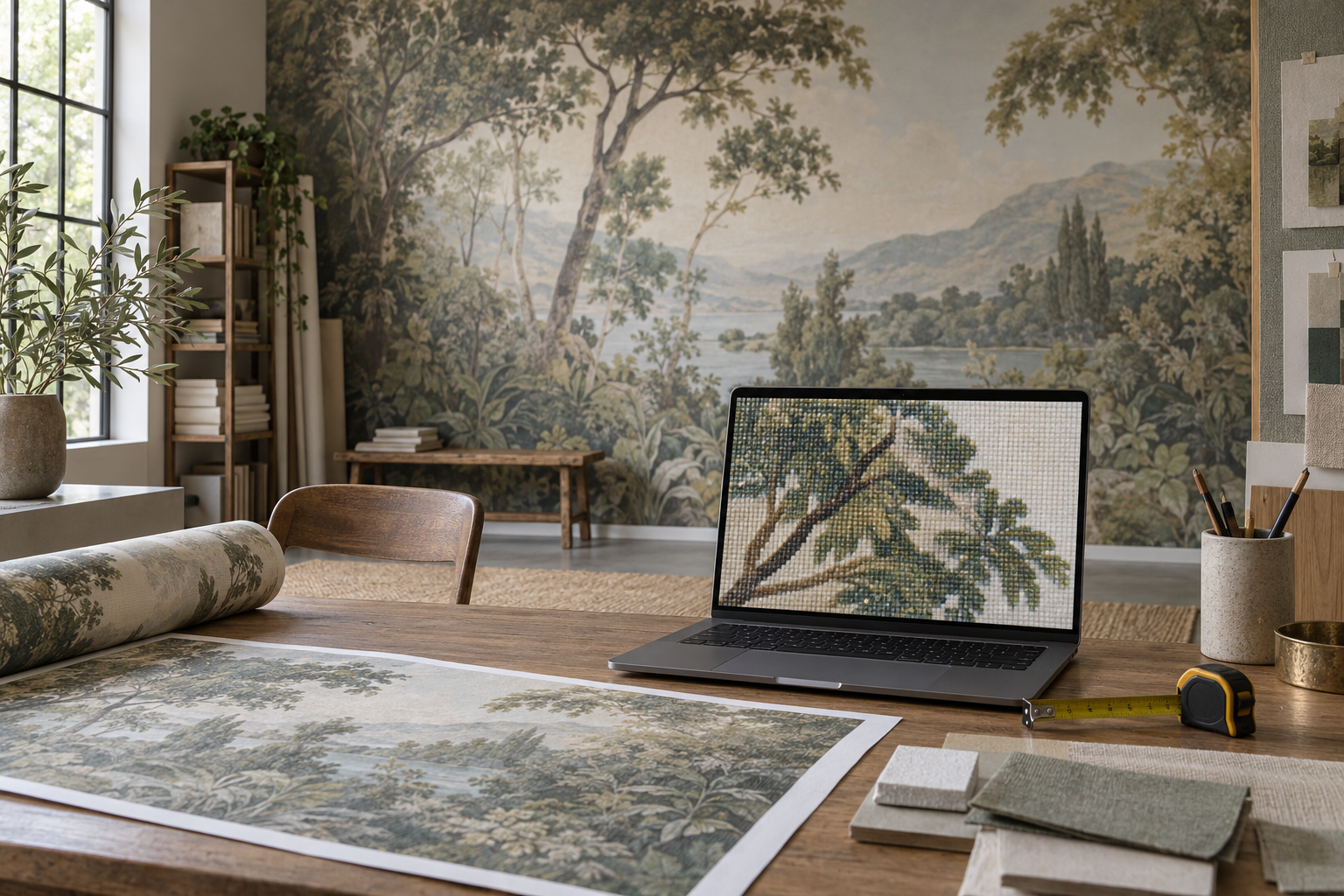
Before approving a file, compare the artwork on the chosen surface as well as on screen. The editorial material photograph below makes the distinction visible: what looks like fine image detail can be influenced by the surface texture and room lighting. It is not a resolution test or a photograph of the customer-supplied image.

How viewing distance changes the decision
A mural behind a sofa may be read mainly as a large composition; a mural beside a desk may be studied from less than a metre. There is no neat boundary at which pixelation stops mattering. Ask who will use the room and from where the wall will normally be seen. A reception wall may be noticed first from across a lobby and then encountered at close range. For that situation, inspect both the overall scene and a sample of its most detailed area. The decision should balance visible quality against the character of the subject, not simply cite a generic poster-print number.
Material texture and lighting can affect perceived detail too. A soft, textured finish may visually break up an image differently from a smooth one, while grazing light can emphasise wall irregularities. Neither surface choice makes a fundamentally blurred photograph sharp. Ask for a sample in the selected finish under the intended room lighting if colour and subtle detail are important.
What to send for a reliable assessment
Provide the original image file rather than a screenshot, social-media download or messaging-app copy. Include the measured wall width and height, the proposed crop and any area that must remain visible. If you have several exposures, send the cleanest original of each and identify which one you prefer. Do not silently stretch a narrow image to the requested width. If you do not know whether the photograph has been resized, compare its pixel dimensions with the version directly from the camera or phone.
Tell the supplier whether the image contains fine text, faces, straight architectural lines or delicate branches, and which of those details must stay crisp. Specify how close people will stand to the wall. A sample taken from an unimportant patch of sky says little about a foreground face; request a proof from the most demanding part of the crop. Assess it from the expected viewing position and at close range before accepting visible softness.
At Solowalls, the custom-wallpaper interface accepts JPG, PNG or WebP files and displays the uploaded image's pixel dimensions. The page also lets the customer enter wall dimensions and review crop placement. An accepted upload is not by itself a guarantee of satisfactory resolution at every wall size. If the artwork is marginal, ask for a specific quality review or a representative print sample before approving production. Be clear whether an alternative crop, smaller printed area or a different source image would be preferable.
When a file is too small
First look for the true original. A low-resolution web copy may have been exported from a much larger photograph. Next reconsider the crop: preserving more width may retain enough pixels while still placing the subject well. A smaller feature area within the wall can also be a more honest design decision than filling the full width with visibly soft detail. If the subject can be photographed again, capture it in good light without digital zoom and keep the full-resolution source. If it cannot, discuss acceptable softness with the printer rather than assuming software enhancement will fix it.
For artwork made of clean geometric lines, ask whether a vector or other higher-quality master exists rather than enlarging a small raster preview. For a photograph, a new export from the original camera file may be enough. If only a heavily compressed copy survives, compare a physical proof with a different image that has adequate source detail. The aim is to choose deliberately between crop, size, source and acceptable softness—not to manufacture a universal pixel threshold.
Return to the 6,000-by-4,000-pixel example before accepting the first crop. A 4:3 rectangle could retain about 5,333 by 4,000 pixels if the composition allows it, compared with 4,800 by 3,600 in the illustrated choice. At 100 by 75 inches, that is roughly 53 ppi rather than 48 ppi in both directions. The extra retained pixels may matter for fine branches, but moving the crop could place the subject badly. Choose between those versions by checking the important detail and the wall composition together, ideally with a print-scale proof if the result is borderline.