Can You Customise the Colours or Design of a Mural Wallpaper?
Understand the difference between choosing a crop, changing colours, editing composition, and commissioning a fully custom mural design.
Article focus: pricing and measurement
Budgeting this wall with confidence
Start with accurate wall measurements; the final custom mural price depends on area, material and any finishing options.
Example application: Bedroom · pricing and measurement
You can normally adjust the size and crop of a made-to-measure mural, but changing its colours or redrawing the design is a different request. Solowalls' ordering tools preview placement, and some offer a whole-image Grayscale control; neither function selectively recolours a flower or removes an object. Describe the exact edit you want and ask whether the source artwork, rights and production process allow it. Only treat a separate design change as agreed when the supplier confirms its scope and approval method.
Four different meanings of “customise”
The word is used loosely in wallpaper shopping. First, size customisation changes the printed width and height. Second, crop and placement determine which portion of the artwork appears on that wall and where its focal point falls. Third, colour adjustment changes the hues or tonal balance of the image. Fourth, artwork editing adds, removes or rearranges subjects. These are different jobs with different risks, even though a sales page may group them together.
For a Solowalls standard mural, the wall tool accepts dimensions and previews a crop. Where Grayscale is offered, it changes the image as a whole and its selected state is recorded with the order; check that choice before checkout. It is not a picker for a new colourway. Selective recolouring and changes to objects need a separate enquiry, with feasibility, price, proof availability and timing confirmed for the particular artwork.
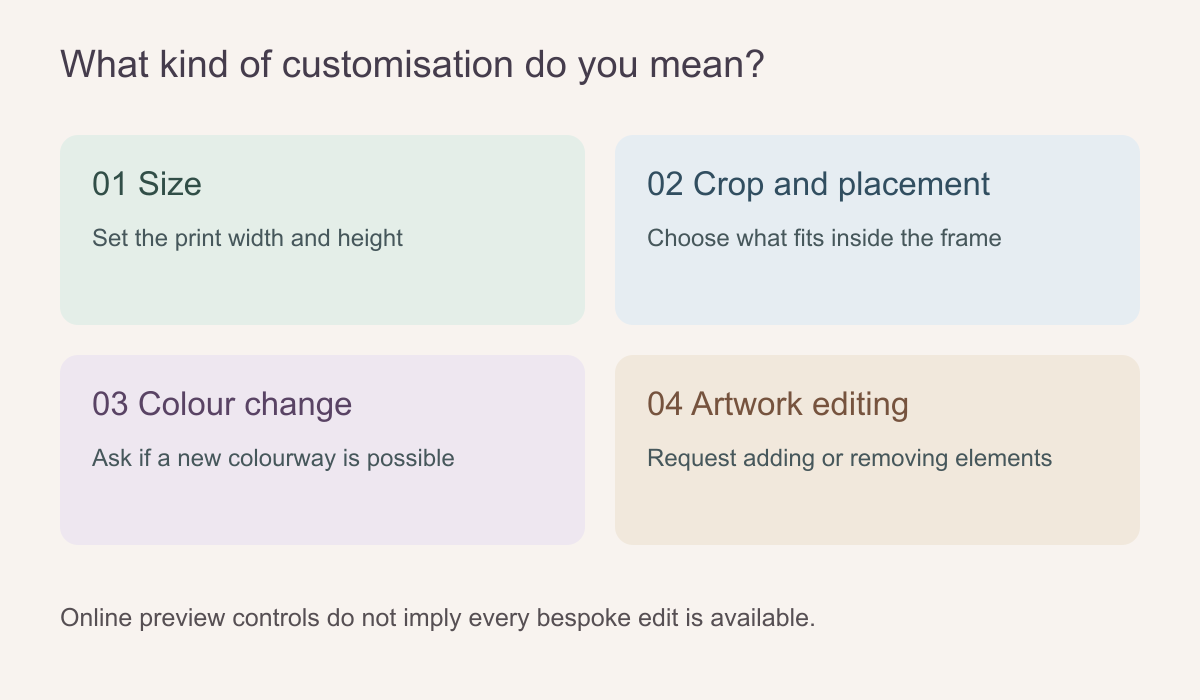 Changing the frame is a different production request from changing the artwork.
Start with the part of the picture you already like
Before requesting a new palette, identify the reason the present one does not work. Is a blue sky too saturated beside warm oak? Is a single pink flower the problem, or is the entire composition too cool? A precise brief may reveal that a different crop, existing colourway or neighbouring product solves the issue without an edit. It may also show that the desired change affects shadows, texture and contrast across the whole image.
Use a photo of the actual room and, if possible, physical samples of paint, flooring and upholstery. Describe colours with plain terms and a reference image, not only a digital hex code. Screens differ in brightness, white balance and colour rendering; the same muted green can appear grey on one phone and yellow on another. A named paint swatch or printed sample gives the discussion a more stable starting point, though it is not an automatic print match.
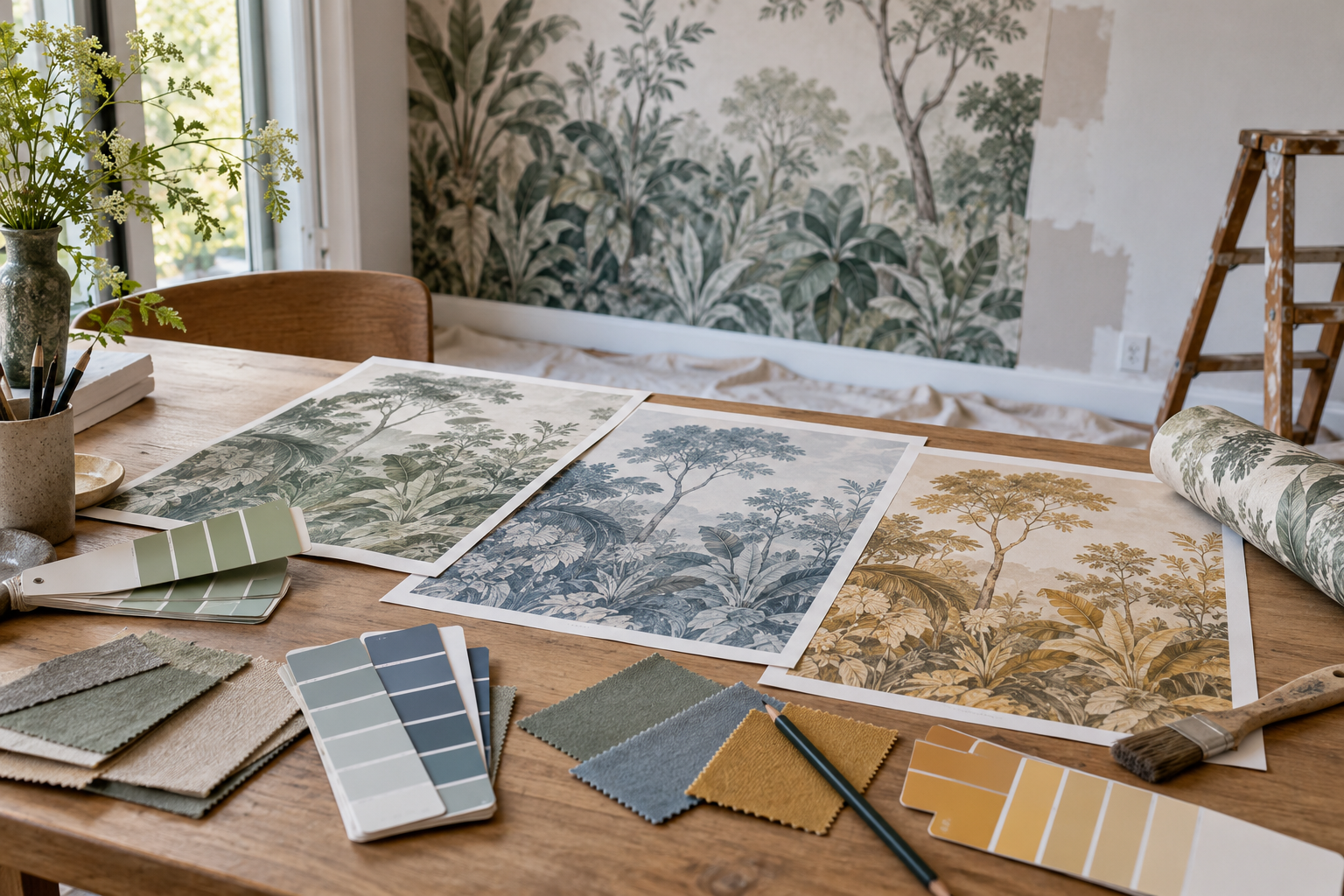
The feature photograph shows several colour interpretations of similar scenery laid out beside a room mural. It illustrates how a palette discussion might look; it does not establish that those specific versions are available for a particular Solowalls design. Check the product's actual colourway choices and request written confirmation before treating any selective recolouring shown in a mock-up as an orderable option.
Consider light at the wall. A north-facing bedroom and a sunlit dining room can make the same printed colour feel quite different. Look at samples in morning and evening light rather than asking a designer to change a hue based on a single computer rendering. If an exact brand-colour match is essential, state that requirement upfront and ask what proofing process is available.
What edits are easy to describe but hard to execute?
A simple hue shift in a flat geometric shape may be more feasible than selectively recolouring a watercolour botanical. In the latter, green leaves may share pixels with grey shadows, cream paper texture and translucent stems. A broad colour command can change details that were supposed to stay untouched. Similarly, removing a large bird from a forest scene leaves a gap that must be reconstructed, not merely deleted.
Suppose you want the blue flowers in a garden mural changed to sage while leaving the blue-grey sky alone. A blanket blue-to-green adjustment would alter both. The useful question is whether the flowers exist as separate editable layers or must be isolated from a flattened image. If the file is flattened, ask to see the revised flowers beside an unchanged section of sky at a scale large enough to inspect their edges. This is a different request from pressing Grayscale, which affects the image as a whole.
When asking for an edit, specify what must not change. “Make the background warmer but keep the leaves and linework unchanged” is more actionable than “make it less cold.” “Remove the small bird above the right branch while keeping the branch complete” gives the designer a clear location and boundary. Note any area that will be hidden by furniture so effort can focus on the visible wall.
Some illustrations are inherently unsuitable for a requested change. A hand-painted wash may lose its character if every colour becomes perfectly uniform. A licensed or third-party design may also have editing restrictions. The right answer can be a different mural rather than forcing a weak modification into an unsuitable source image.
Build a brief the designer can actually use
Send the product link or name, your measured wall size, a straight-on room photograph and a marked screenshot of the artwork. List no more than a few prioritised changes. Separate non-negotiable requests from preferences: “Remove the red flowers” differs from “a softer mood would be nice.” Include the intended material if known, because a proof should be assessed in the context of the finish to be printed.
Ask four commercial questions before the work starts: Is this edit offered for this design? Is there an additional charge? Is a separate proof or revision included, if any? Does the change alter production lead time? Establish whether the supplier can provide a digital visual, a printed sample or a final production file; those are not interchangeable checks. Do not assume that a service discussed for one product applies to every artwork. Keep the written reply and any approved version with the order details.
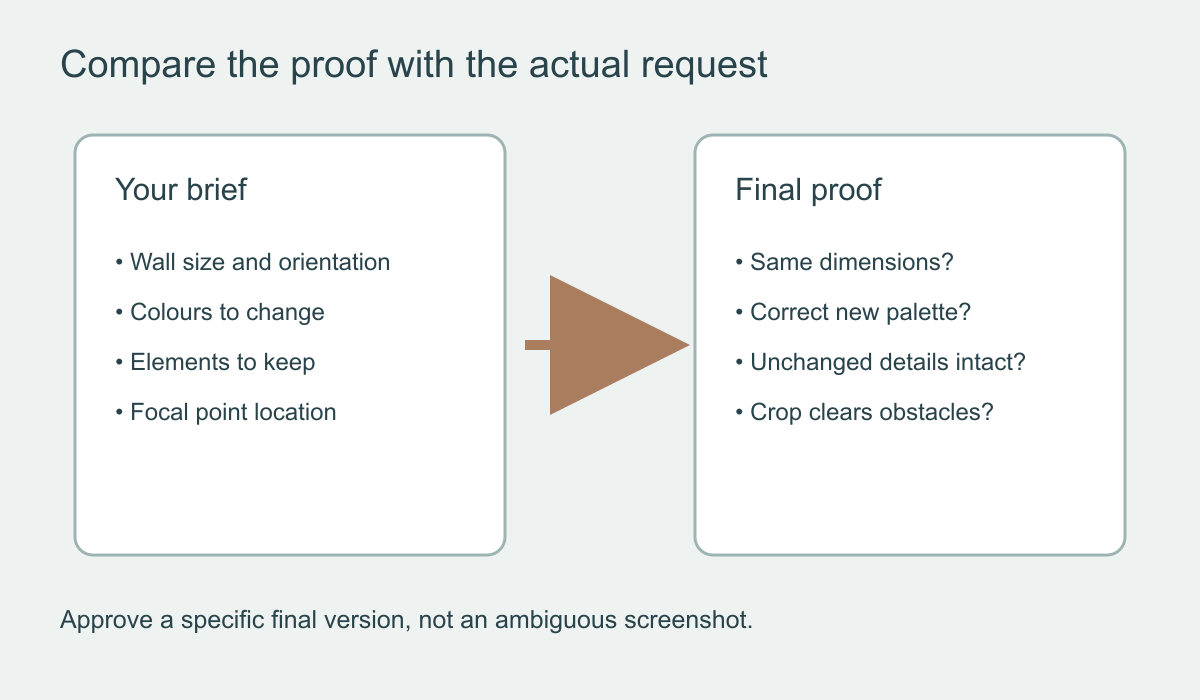 Compare the final proof against the original request, not just against your memory of it.
Check an edited version before approving it
If a separate proof is supplied, open it on a large screen but remember that it remains a digital representation. Compare the edited motif with your marked brief, inspect the left and right edges and look for awkward mirrored or extended areas. Make sure a moved subject will not be cut by a window or concealed behind a headboard. If a colour was changed, inspect highlights and shadows as well as the obvious area; traces of the old colour can remain in fine detail. Ask separately if production panel boundaries matter, because a visual proof may not show them.
Confirm which version is final. A chain of emailed screenshots can become confusing if dimensions or crop positions changed during revisions. Name the approved file or proof number and read back the wall size and orientation. Where a physical sample is available and colour matters greatly, use it to judge the print surface under the room's real lighting. A sample can test colour and texture, though it cannot show every detail of a full mural.
Design changes can also affect image quality. Enlarging a small motif across an entire wall may reveal soft edges; replacing a pale background with a deep solid tone can make panel edges or substrate differences more noticeable. Ask for a quality check if the new composition relies on fine detail. A useful proof should make those trade-offs visible rather than hide them behind a room mock-up.
If you are supplying your own image
An uploaded photograph or artwork gives you more control over its source file, but it does not guarantee unlimited editing. Send the highest-resolution original you possess, not a social-media download or compressed messaging copy. Tell the printer if the artwork contains type, faces, straight architectural lines or other details that cannot tolerate distortion. Clarify that you have permission to print any image you did not create yourself.
The Graham & Brown explanation of custom murals usefully separates a full composition sized to a wall from a repeating wallpaper pattern. That distinction matters here: moving the frame of a complete scene may be routine, while creating a new colourway or new scene is a separate creative service.
A request you can actually send
“For the attached design and 300-by-240-centimetre wall, could the blue flowers marked in red become muted sage? Please keep the cream ground, ink outlines and blue-grey sky unchanged. Is selective editing possible from the source file, what would it cost, and could I review a proof of the edited area at print scale before approving it?” Attach the marked image and a room photograph. This separates an artwork edit from the standard size-and-crop controls and gives the supplier a clear way to answer yes, no or offer a different design. If you approve a revision, identify the final file and crop in writing rather than relying on a chain of unlabeled screenshots.