What If the Wall Is Wider Than the Mural Image?
Plan the composition, crop, side margins and possible extension of the artwork before committing to a very wide wall.
Article focus: pricing and measurement
Budgeting this wall with confidence
Start with accurate wall measurements; the final custom mural price depends on area, material and any finishing options.
Example application: Any room with a suitable, prepared wall · pricing and measurement
If your wall is wider than a mural image, first decide whether the problem is physical size or shape. A source can be enlarged uniformly to a larger wall when its proportions fit and its detail holds up at print size. A wall with a much wider width-to-height ratio creates a different problem: filling it may cut away the artwork's top and bottom, while showing the entire image leaves uncovered space at the sides. Those are design choices, not settings an installer can repair after printing. Compare the real wall and image ratios before choosing a crop, border, extension or different scene.
Understand the ratio before asking for extra width
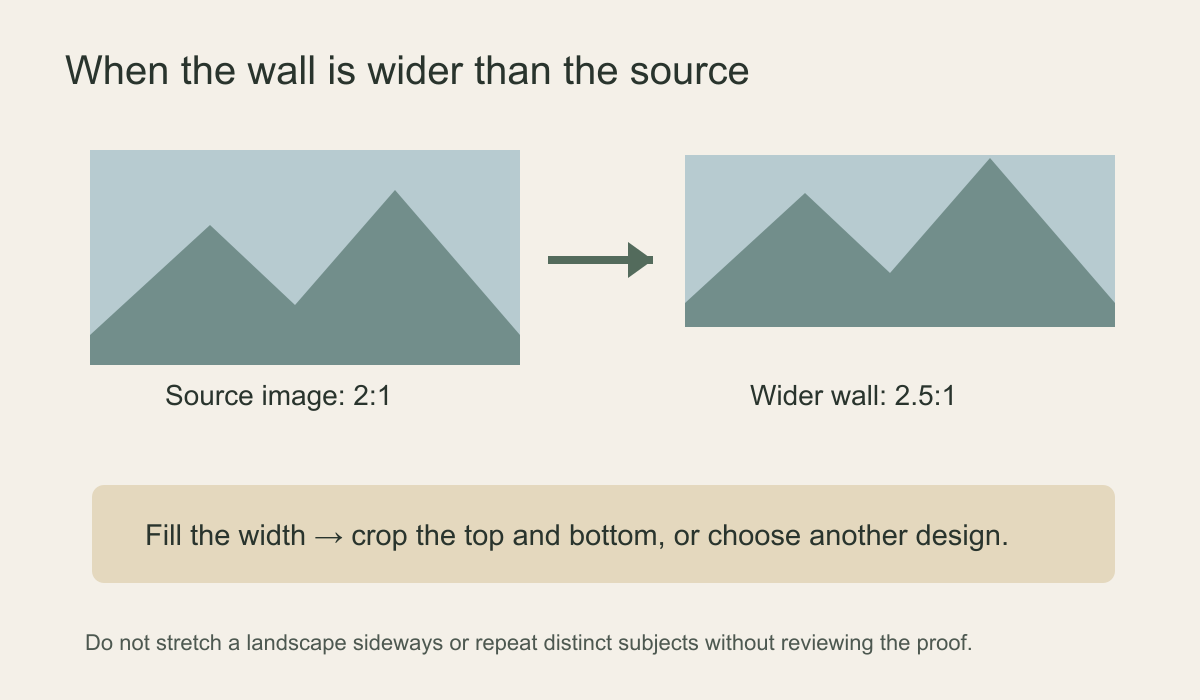
Divide width by height for both the wall and source image. A 4.8-metre-wide by 2.4-metre-high wall has a 2:1 ratio. A 6-metre-wide by 2.4-metre-high wall has a 2.5:1 ratio. If the artwork is 2:1, fitting it to the second wall without borders requires a shorter vertical slice: the image is enlarged until its width reaches the wall, then part of its top and bottom is removed. The wall has not acquired new scenery to the left and right. It has traded some height for the extra width.
For a concrete file example, imagine a 6,000-by-3,000-pixel source: it is 2:1. To make its existing width fill a 2.5:1 wall, the retained image would be 6,000 by 2,400 pixels, a loss of 600 pixels of height in total. You might trim 300 from the sky and 300 from the foreground, or choose an unequal split to protect the subject. Either way, those discarded pixels no longer appear on the wall. This arithmetic explains the crop; it does not certify that the remaining pixels are sharp enough for a six-metre print.
That trade can be harmless in an open sky or a soft abstract ground. It can be damaging when the top contains bird wings, a mountain summit or a tree canopy, or when the bottom carries the path that gives the image its depth. Move a crop box over the actual artwork at the wall's ratio. If the important scene no longer fits, stop trying to solve the problem with a number in an order form. The artwork and wall shape are genuinely incompatible in that arrangement.
Make the opposite preview too. At the full 2.4-metre wall height, the 2:1 picture spans 4.8 metres of a 6-metre wall, leaving 1.2 metres in total—about 0.6 metres on each side if centred. Those side areas need a deliberate paint or panel finish. This “contain” choice preserves the entire scene, while “fill” uses the wall width and removes 600 source pixels of height in the example above. Showing both measured options to the person who will use the room is more informative than saying the image is simply “too narrow”.
Look at the available choices in order
The cleanest option is often to find a source with a naturally wider composition. A panoramic coast, long ridge or distributed botanical artwork may preserve its focal details on a long wall without extensive alteration. Next, see whether the original image has more content than the website preview shows; a supplier may have a larger master file or alternative crop. Do not assume that a displayed thumbnail represents all available image area. Check the available crop preview at the measured wall ratio; if it leaves an important detail uncertain, ask the supplier whether a dimensioned proof is available.
A deliberately bounded mural can also be elegant. Paint the remaining wall on either side in a colour drawn from the artwork, or frame a centred image within wall moulding. That treats the mural as a planned panel rather than pretending the picture has to reach every corner. Check whether the supplier can print to the smaller measured area and what the adjacent painted finish will look like in daylight. A designed border is particularly useful when the artwork contains a distinct subject near both ends that would otherwise be cut.
Make the side areas symmetrical only if that suits the furniture and architecture. A door at one end or a built-in cabinet may make an off-centre mural panel look more balanced. Mark the image's printed edge, not just a theoretical blank margin, on a wall elevation so the installer knows where the artwork ends. If moulding is proposed, check its depth, continuity around openings and how it meets the wallcovering; do not assume an added frame will hide a poor crop.
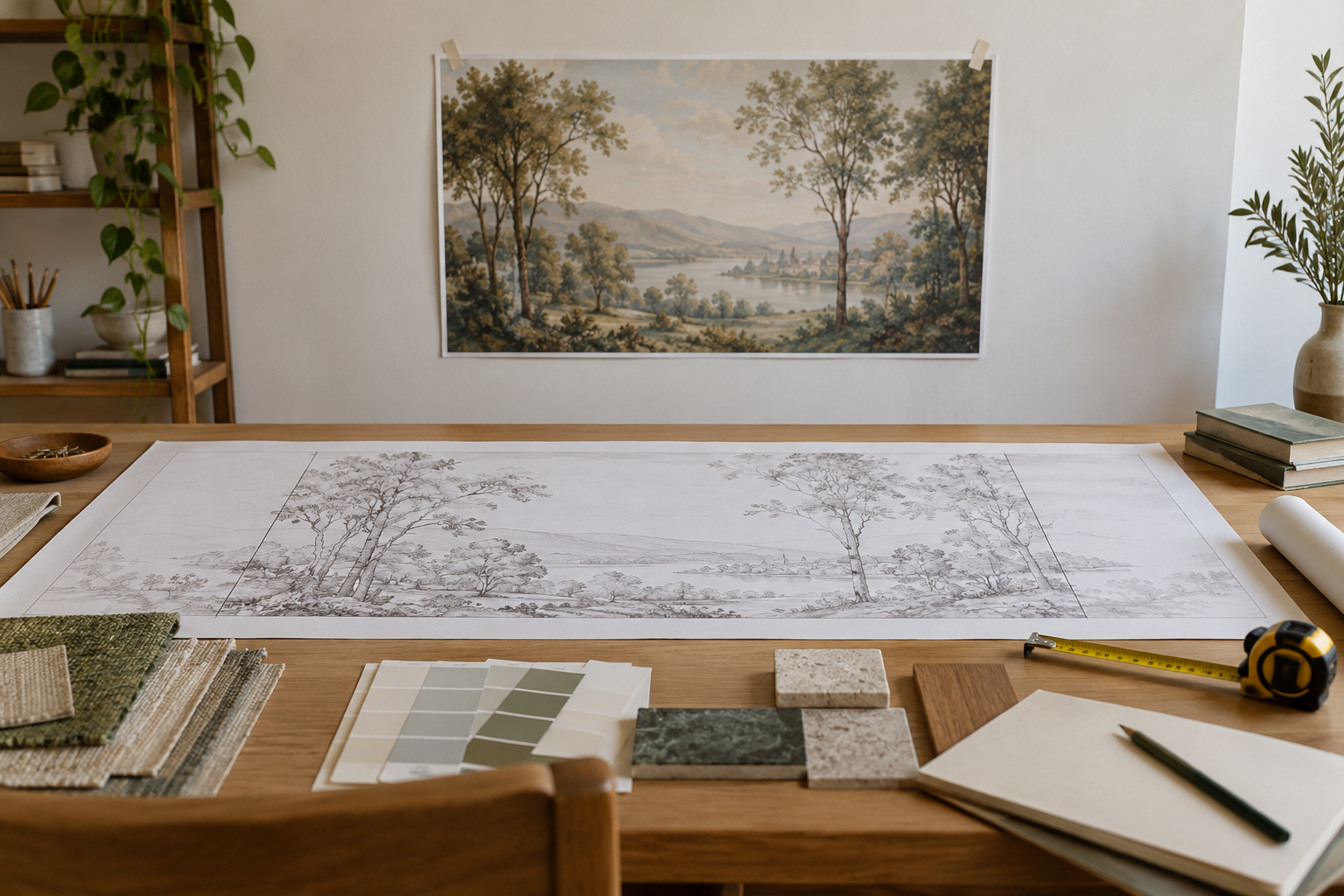
The editorial feature visualisation shows a landscape image on a wall and a longer layout drawing on the table. It illustrates the proportion problem, not a Solowalls production proof or a confirmed crop of the same artwork. The final design should be checked at the actual wall dimensions, including the manufacturer's installation trim allowance. The crop preview is a planning tool; confirm how the ordered panels will be printed and which part of the image will be used.
Why stretching does not create a wider view
Non-uniform scaling changes the proportions of everything in the image. A round sun becomes an oval, a person appears broader and architectural lines may look wrong. Even an abstract image can reveal elongated brush marks. Uniform scaling keeps shapes intact but may require the top-and-bottom crop described above, and large enlargement can soften fine detail. Neither process invents a convincing new landscape beyond the original frame. Ask to see a full-width preview rather than approving an instruction simply labelled “fit to wall”.
Ask which fitting rule the crop tool is applying. A preview that preserves the complete image with empty side space is not equivalent to one that fills the rectangle by cutting the top and bottom. If a screen silently stretches to the container, compare recognisable circles, faces or window frames with the original. Before ordering, confirm the final print dimensions and retained source area; if artwork has been extended, identify exactly where. An ambiguous instruction to “fit” the picture is not enough.
Image resolution also needs checking after a more severe crop. If a file is 6,000 pixels wide and the final printed width is 120 inches, its effective width is 50 pixels per inch before any further horizontal loss. Whether that is acceptable depends on the subject, source sharpness, material, viewing distance and printer. Reassigning the file to “300 dpi” does not add captured detail. Have the printer evaluate the retained pixels at the intended output size, especially when the mural will be viewed up close.
When repeating or mirroring can work
A genuinely seamless texture or repeating geometric design can sometimes be tiled horizontally. That property must be verified in the actual design file; an image with a mountain peak, path or sun is not a seamless repeat merely because a software tool can duplicate it. Repeating a scenic photograph usually creates obvious second mountains or repeated clouds. Mirroring can conceal one hard edge but often produces suspicious symmetry at the join: doubled trees, reflected text or identical rock formations. These are design interventions, not invisible technical fixes.
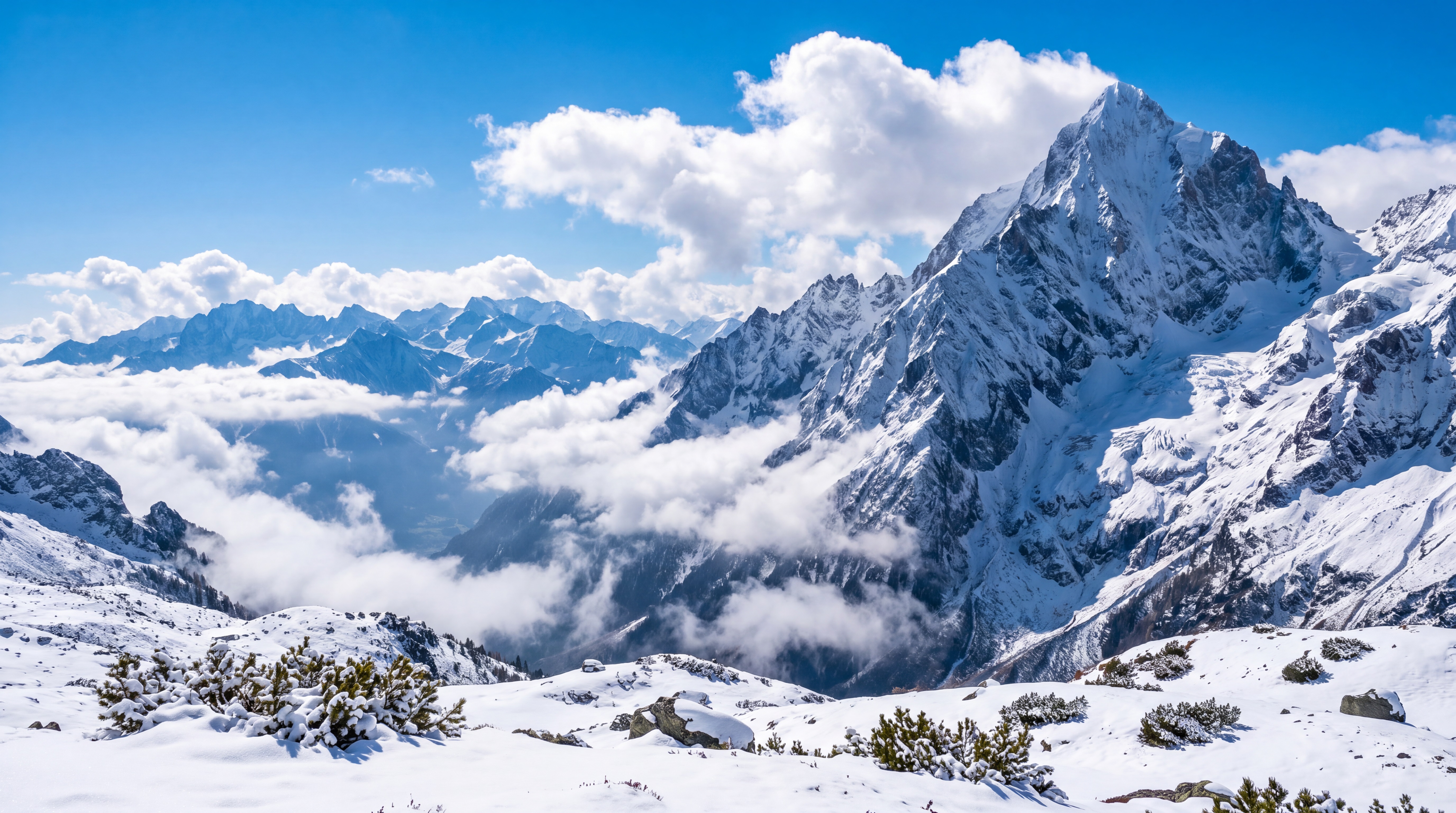
If a repeat is approved, ask for a full-width mock-up showing every seam and duplicated element. The distance between repeats matters. A pattern that looks natural in a small sample may feel mechanical over six metres. For a mural with one main subject, it may be better to use a companion texture at the edge than to repeat the entire scene. The flat alpine artwork below is a panoramic design example; the distinct large mountain on the right would look noticeably duplicated if the whole file were tiled.
A matching companion colour or texture can work better than cloning the main subject. It should be clearly part of the design, not a disguised error at the boundary. For an abstract wash, the original artist or designer may be able to create a quiet continuation; for a photographed mountain, added terrain must satisfy perspective, light and detail at final scale. In either case, review the full run of panels, not just one attractive middle section.
Digital extension requires editorial judgement
An artist may be able to add sky, foliage or a continuation of an abstract wash at one side. Some digital tools can propose extra content automatically, but their output can introduce repeated branches, impossible perspective or tonal seams. Have an experienced designer review the extended image at full size and check the print proof. If the artwork is licensed rather than yours, confirm that the licence permits adaptation before altering it. Do not present an automatically generated extension as if it were part of the original artist's work without clear approval.
It may be more effective to extend only a quiet area than a complex foreground. A pale sky can sometimes accommodate expansion, while a row of detailed buildings cannot be extended casually without visible errors. Decide where the new area will appear in the room: behind a wardrobe it may be less conspicuous, but the printer still needs a technically sound file. At a corner, matching colours can be more important than forcing a continuous subject across an awkward change in perspective.
Measure the whole wall and approve the actual crop
Measure width and height at several points, record openings and specify any installation allowance required by the supplier. Compare those measurements with the image ratio and inspect the available preview at the complete ordered size. Identify which subjects must remain visible, how the top and bottom will be trimmed, and where panel boundaries fall; ask for a panel plan if the preview cannot show that detail. If it reveals severe loss, do not rely on the installer to rescue the image at the wall. Once printed, a panel cannot reveal unseen scenery outside its file.
Keep the wall's visible dimensions separate from the extra material allowed for final trimming. A mountain summit or bird placed in that outer allowance could disappear when the installer squares the edges. Check the full composition from the room's normal viewpoint and inspect one detailed area at proposed print scale. Save the selected crop and any supplier confirmation with the order so the installer can check the intended orientation.