What Tools Do You Need to Install Mural Wallpaper?
Prepare a practical toolkit for measuring, smoothing, trimming, checking alignment and protecting the room during installation.
Article focus: pricing and measurement
Budgeting this wall with confidence
Start with accurate wall measurements; the final custom mural price depends on area, material and any finishing options.
Example application: Any room with a suitable, prepared wall · pricing and measurement
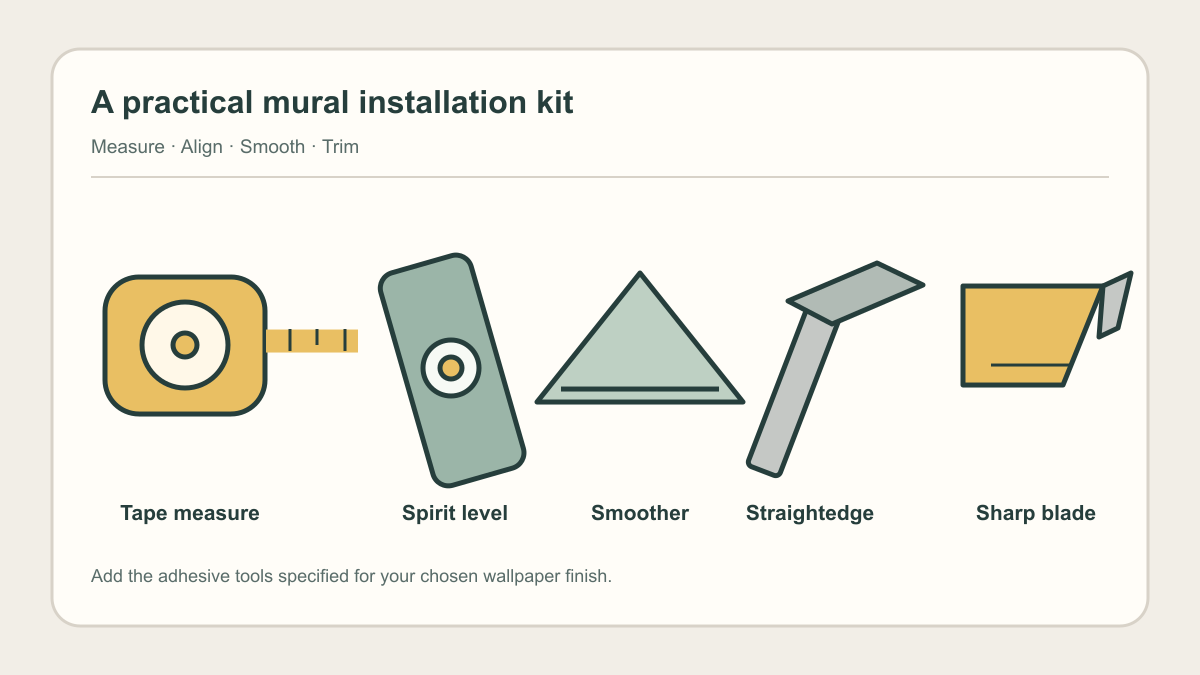
What tools do you actually need to install mural wallpaper? The short list is less complicated than a decorator's entire toolbox: a tape measure, pencil, level, suitable smoother, straightedge and fresh blade. Each has a distinct job, from locating the first panel to trimming the last edge. The illustrated kit above shows the measuring, alignment, smoothing and cutting tools; keep a pencil and clean, soft cloths alongside them. Paste equipment belongs on the list only if the material you ordered uses paste; a peel-and-stick panel has a different application method.
Essential kit: Have a tape measure, pencil, spirit or laser level, material-compatible smoother, clean soft cloths, straightedge and sharp replaceable blade ready. For paste-the-wall material, add the specified adhesive and its roller or brush; do not use paste for peel-and-stick. Before starting, confirm the wall is suitable and the numbered panels match the order and chosen crop.Measure and mark before anything touches the wall
Use the tape measure to check the actual wall width and height against the order, taking more than one reading if the ceiling or floor line varies. Record the distances from a fixed corner to doors, windows and sockets. Then note where the printed design is meant to begin. This is not a request to make an imperfect room square; it is how you avoid discovering halfway across the wall that the subject lands behind a doorframe.
A small pencil sketch keeps those numbers together. The notebook photograph below includes a wall outline, door and window beside a tape measure. Its dimensions are illustrative, not measurements to copy. Mark the intended first-panel edge and number the obstacles on your own sketch. Compare it with the dimension-based crop preview and the delivered panel sequence before adhesive is opened or any backing is peeled away.

Use a level for the first panel
The first panel determines where every later panel sits. A corner can appear vertical while leaning just enough to make the last panel drift towards the ceiling or skirting. Use a spirit level and lightly drawn line, or a laser level, to establish the starting guide at the location shown on the panel plan. A laser is convenient on a tall wall, but it is not a requirement for a normal-height wall if you can mark an accurate plumb line with a spirit level.
The photograph below shows someone projecting a vertical line on a bare wall. It illustrates the alignment task, not an instruction to buy that particular device. Check the distance from the guide to the nearest corner at the top and bottom, then confirm the image crop still lands where intended. A perfectly vertical guide in the wrong position is still a wrong start. Keep any pencil marks faint and outside the visible finished area where possible.

What smooths a panel without harming it?
A smoother or appropriate wallpaper brush helps make even contact as the panel is applied from the centre towards the edges. Match the tool to the supplied finish; a hard edge that is safe for one surface may mark another. Keep the tool clean, because grit caught beneath it can drag across the print. Do not pull or stretch a panel to fix a mismatched image at a seam. Stop, check the panel order and reposition it only as the material instructions allow.
Keep clean, soft cloths to hand, preferably separating those used for dry handling from any used to remove paste residue. Check the manufacturer's guidance before applying water or cleaner to the printed face. A cloth can deal with a small permitted wipe, but it is not a substitute for the proper smoothing tool across a large sheet. Gentle, methodical pressure is more useful than rubbing a stubborn bubble harder.
The extra kit for paste-the-wall materials
If the exact material specifies paste-the-wall installation, the extra purchases are the recommended adhesive, a clean mixing container or tray, and a roller or brush suited to the wall and adhesive. Check the product instructions before buying: an adhesive left over from a different wallpaper job may not be appropriate, and the required quantity depends on coverage and the printed wall area. Keep a separate brush available for controlled work near edges if the maker's method calls for one; do not assume a large roller will reach every return or corner neatly.
Protect the floor and set aside cloths for the cleaning method the printed finish permits. Keep the adhesive tools and clean panel-handling area separate so drips and grit cannot reach the artwork. The detailed order of coating, hanging and seam treatment belongs to the chosen material's instructions and the installation sequence guide. This kit list does not tell you to paste the paper, coat the whole wall in advance or substitute one adhesive for another.
The simpler but still careful peel-and-stick kit
Self-adhesive panels do not need a paste tray, adhesive brush or extra wallpaper paste. They do need clear floor space for the backing liner, a clean smoother suitable for the printed surface, and a way to support the loose length while one person aligns it. For a tall or wide panel, arranging a helper may be more useful than buying another gadget: a folded sheet that sticks to itself is a handling problem, not a lack of adhesive.
Keep the liner and its disposal route away from the clean panel stack so it cannot catch on the next sheet. A small permitted test piece, where supplied and where the wall owner agrees, helps check compatibility with the actual paint before the main job. It does not replace the maker's surface and paint-cure requirements. The tape measure, plumb guide, material-compatible smoother and sharp trimming blade remain common to both application types; only the adhesive station changes.
Finish with a straightedge and fresh blade
Choose a rigid straightedge long enough to guide a steady cut at the skirting or ceiling, plus a utility knife whose blade can be replaced easily. Have spare blades on site: a blade that begins to drag can tear a damp or delicate edge. A small offcut is a safer place to check how the selected covering cuts than the first visible corner. Keep hands out of the cutting path and protect adjacent trim as appropriate for the job.
Put a closed container beside the work area for used blades; never leave one loose among the numbered panels. Around sockets and switches, isolate electrical power before work begins, and involve a qualified person if a fitting needs removal or the electrical work is unclear. A straightedge and sharp blade help make a controlled trim, but they cannot correct a misplaced panel or the wrong seam method. Confirm those decisions under the material instructions before cutting.
Set up the work area in the order you will use it
Keep the measured sketch, panel plan and level at the starting side of the wall. Lay the numbered panels on a clean surface where they can be checked without stepping over them. For pasted material, set the adhesive station away from the prints so a drip cannot land on the image. For Peel and Stick, clear enough floor space for a helper to support the hanging length while the liner is released; an adhesive roller does not solve that handling problem. If the upper edge cannot be reached safely, arrange access before unrolling the first panel.
Leave the cutting tools closed until the first sheet is plumb, the next image edge matches and the actual ceiling and skirting can guide the trim. Put used blades in a safe container rather than on the floor beside the panels. If a number is missing or the seam method is unclear, stop with the sheets intact and ask the supplier. The tools earn their place by supporting a sequence you can control, not by filling a larger toolbox.