Mural Wallpaper Measurement Mistakes to Avoid
Avoid missing height changes, measuring only one point, forgetting trim, ignoring openings and entering inconsistent units.
Article focus: pricing and measurement
What to settle before pricing
Start with accurate wall measurements; the final custom mural price depends on area, material and any finishing options.
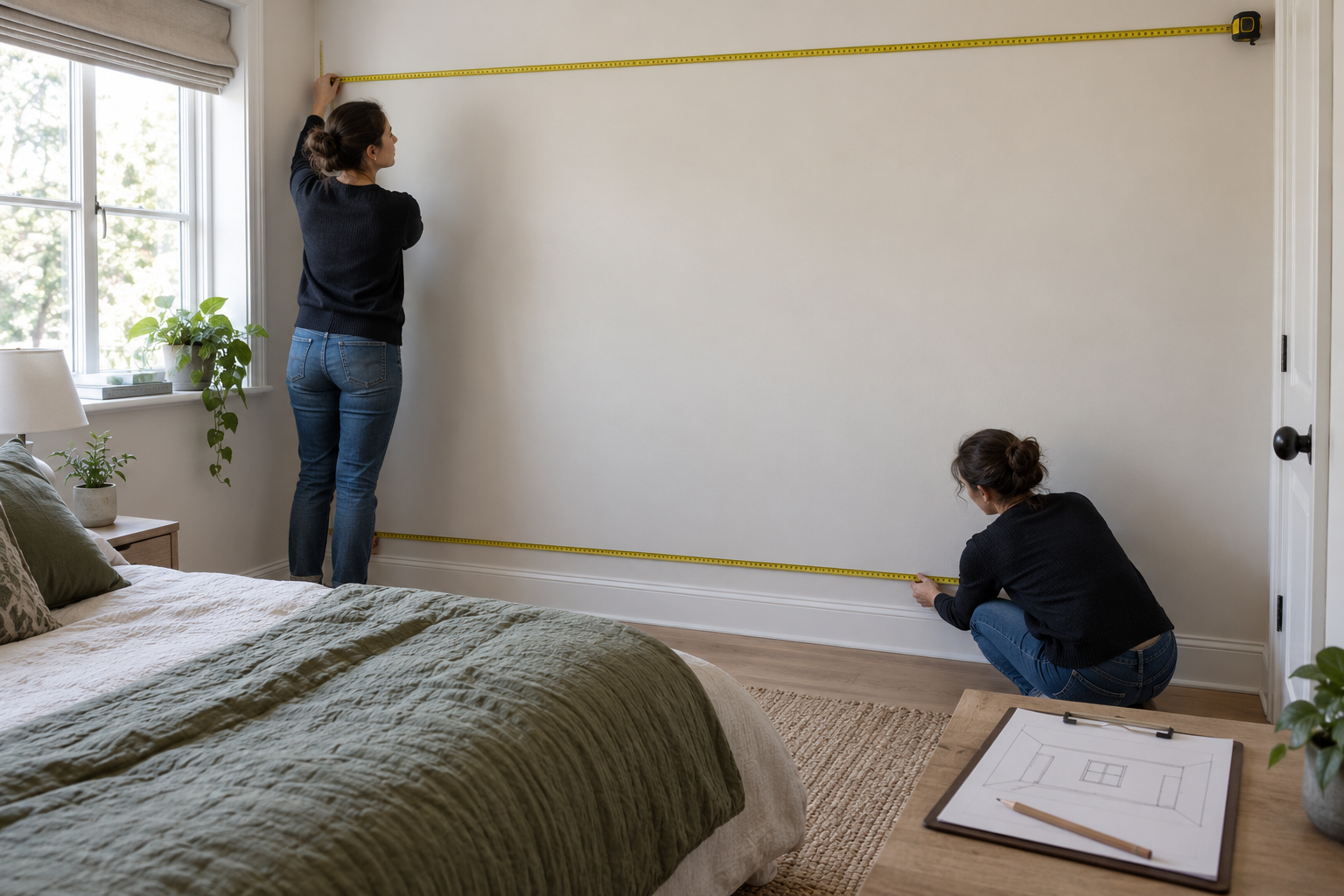
Example application: Any room with a suitable, prepared wall · pricing and measurement
A measurement error can survive all the way to a convincing crop preview if the wrong numbers are entered at the start. The best defence is to audit the result, not only repeat the instructions: compare physical wall readings with order dimensions, ask whether the priced area looks plausible, and check that doors and furniture fall where your sketch places them. The examples below show what several small mistakes actually do to a custom mural, so they can be caught before printing.
Short answer: Measure the intended full wall at several points, record the largest relevant width and height, confirm units, and add only the trim allowance required by the seller. Mark recesses, slopes and permanent obstructions separately. Keep the physical measurements distinct from the dimensions entered for printing, then check the crop against the final order size.Mistake 1: measuring from an old plan
A floor plan may give room dimensions, not the precise width of the wall between finished corners. Skirting, plaster, a built-in cupboard or recent renovation can alter the surface available for a mural. Use a steel tape measure on the actual wall and record the date. The Wallcoverings Association's estimating guidance recommends accurate measurement and a diagram showing openings or built-in features. For a made-to-measure image, that sketch also helps you locate the motif in the right place.
Take a room photograph straight on and mark the wall boundaries. If you cannot reach the full height safely, arrange for an installer to measure rather than guessing from a door height or a photograph. A phone measuring app can be useful for rough planning, but it should not silently replace a checked physical dimension for a custom order.
Mistake 2: trusting one width or one height
The warning sign is a sketch containing one tidy width and one tidy height despite a ceiling or corner that visibly wanders. Check the top, middle and bottom widths, then the heights at left, centre and right. Graham & Brown's mural FAQ also recommends readings at several positions. Keep every reading on the sketch: the spread tells you whether the wall is a nearly rectangular trimming job or needs an installer-reviewed layout. An average hides the very edge that might be left uncovered.
Suppose the widths read 299, 301 and 300 cm, and the heights read 239, 242 and 240 cm. If a saved checkout shows a 300-by-240-cm measured wall, compare it with the maximum readings of 301 by 242 cm before adding the seller's allowance. Under a rule of 10 cm added once to each overall dimension, the example order would be 311 by 252 cm. A submitted 310 by 250 cm is a clue that the middle or averaged readings were used, not proof that the installer can make up the difference by shifting panels.
Do not treat every spread as a reason to enter an ever-larger rectangle. A pronounced lean can make vertical image lines and seams look wrong even if enough material exists. Photograph the irregular boundary, label each reading and ask the supplier or installer how to position the print. This is the correction to the mistake: identify whether the shortfall is a small order-size error or an out-of-square layout problem before production.
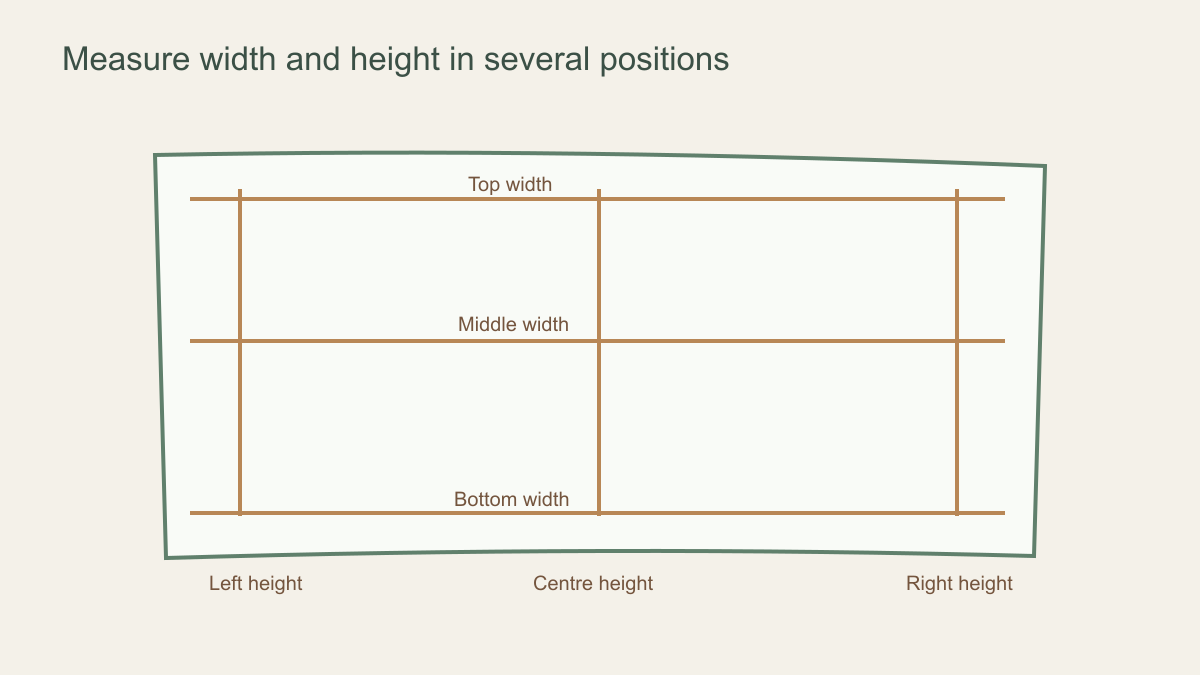 Several readings reveal a wall that one centre measurement would miss.
Mistake 3: confusing the visible wall with the order size
A submitted print size that equals the bare wall exactly may be missing installation surplus; one that is unexpectedly large may have had the allowance added twice. Under Solowalls' current guidance, a 300-by-240-cm wall becomes approximately 310 by 250 cm after adding 10 cm once to each overall dimension. A screen showing 320 by 260 cm suggests 10 cm may have been added at both left and right and at both top and bottom. Do not approve either figure simply because the preview still fills its rectangle. The trim-allowance guide explains the rule in detail.
Compare three labelled records: raw wall readings, the size you intended to submit and the size shown in checkout. If the first two agree but checkout differs, inspect the unit selector or whether the interface adds trim automatically. If checkout matches your intended print size yet the visible focal point has moved into the outer surplus, the calculation may be right while the crop is wrong. Correct the crop and save a new preview rather than silently changing the wall measurement to bring the subject back.
Price and area offer a separate alarm. A 310-by-250-cm print covers 7.75 square metres; a checkout area many times larger signals a unit or decimal error. That area is a diagnostic value, not a number to enter into width or height. A sudden portrait-shaped preview on a landscape wall suggests the fields may have been reversed. Trace these clues back to the original sketch before paying; do not use a plausible-looking image to validate implausible dimensions.
Mistake 4: switching units mid-order
Many interfaces accept centimetres, inches, or feet and inches. Choose one system before measuring, and label every number with its unit. A note saying “120 × 96” is ambiguous: 120 inches is 304.8 cm, not 120 cm. When using decimal feet, 8 feet 6 inches is 8.5 feet, not 8.6 feet; the latter equals 8 feet 7.2 inches. That difference may seem small until it shifts a trim line or changes a crop. Use separate feet-and-inches fields when available and recheck the displayed dimensions after any conversion.
Watch the order of the fields too. Width is horizontal, height is vertical. Entering a 300-by-240-cm landscape wall as 240 by 300 cm makes the preview portrait-shaped, even though both numbers came from a correct tape measure. If the crop suddenly loses its sides or the area shown feels unlike your straight-on wall photograph, stop and check the field order before trying to reposition the artwork. A second person's read-back is useful on a costly custom order.
Mistake 5: subtracting doors and windows from the print
A mural is generally planned as a full rectangular composition, then cut around doors, windows and other fixed features during installation. If a 320 cm-wide wall contains an 80 cm-wide doorway, entering 240 cm as the mural width does not reserve a door-shaped gap; it requests a narrower image and changes its crop. Record the door's position and size on a sketch while retaining the intended full-wall print rectangle, unless the supplier has agreed to a special layout.
This rule differs from some roll-quantity calculations. The Wallcoverings Association's conventional wallpaper estimating method subtracts opening area when working out how much roll material covers a room. That is an area calculation, not an instruction to subtract a window from the width or height entered for one continuous, made-to-measure mural image. Mixing the two methods can leave both the print size and artwork placement wrong.
Think about what must remain visible after installation. A person in the artwork may disappear behind a wardrobe, and a main flower may be cut at a window. Mark the actual position and size of these features rather than estimating their effect from the room photograph. The issue is often crop placement, not material quantity.
Give each opening a location, not just a width: note how far its left edge is from the mural's left boundary and how far its top is from the ceiling or finished floor. Two identical windows in different positions affect the artwork differently. If a doorway reaches the floor, the printed section across it may be cut away during installation, but its presence still affects where a tree or horizon should be placed. The supplier can only plan around what your drawing specifies.
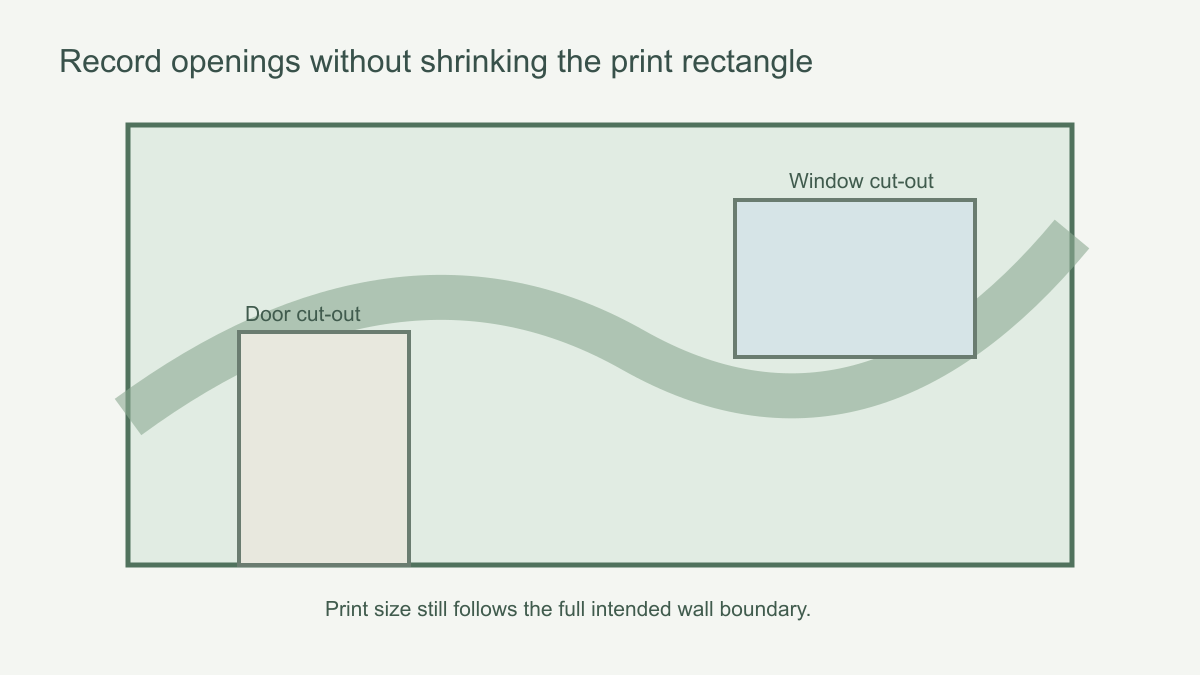 Show openings on the wall plan while retaining the intended overall print rectangle.
Mistake 6: treating complex walls as ordinary rectangles
Staircases, sloping ceilings, alcoves, chimney breasts and walls that turn a corner need extra thought. A simple online width and height can describe the bounding rectangle, but it does not specify where the slope begins or how an image should continue around a return. Take detailed measurements of each change in shape and ask the seller whether the tool supports the required layout. Consult an installer before ordering if panel direction or seam placement is uncertain.
If two adjoining walls need one continuous image, measure each wall separately as well as the total run, and document the corner. A nominal total width alone hides where the fold occurs. Likewise, a mural for a partial feature area should have its own clearly defined top, bottom and side boundaries. Do not mix the full room wall with the intended decorated zone in the same set of numbers.
Mistake 7: measuring before the finished boundaries exist
In a renovation, the wall you can measure today may not be the wall the mural will cover. A new skim, lining, built-in wardrobe, skirting or cornice can change the usable rectangle. If an installer will level the wall or build a panel face, ask when that work will be finished and measure again from the new visible boundaries. Mark whether the mural will run behind trim or stop at it; even a small change at each edge can alter the crop around a central subject.
Scheduling is part of measurement accuracy. Avoid approving print dimensions from framing plans while plasterboard, plaster or joinery is still being fitted. If production must start early, agree a survey and tolerance plan with the supplier and installer rather than hoping the final surface matches a drawing. Keep the dated final survey in the project record and label earlier measurements as superseded, so nobody copies an obsolete number into checkout.
A final measurement audit
- Are all dimensions taken from the finished wall rather than a plan?
- Were width and height checked in several positions?
- Are the units written beside every number?
- Is the supplier's trim allowance added once, in the stated way?
- Are openings and furniture marked without incorrectly shrinking the print rectangle?
- Does the crop still place the important artwork in the visible area?
- Has an unusual shape been discussed before checkout?
- Will any unfinished renovation change the measured boundaries?
For the final audit, compare three things in order: the dated wall sketch, the submitted print dimensions and the resulting crop. A 301 × 242 cm maximum wall reading, for instance, should not silently turn into a 301 × 252 cm order when the stated rule adds 10 cm to both dimensions; the expected example is 311 × 252 cm. If a cabinet or skim coat will change the boundaries, postpone this sign-off until those works are finished. Have a second person read the numbers and units back from the checkout screen, not only from the sketch.